


|
Name |
Alight Motion Pro |
|---|---|
|
Google Play Link |
GET IT ON
Google Play
|
|
Category |
Video Players & Editors |
|
Developer |
Alight Motion |
| Last version | 5.0.273.1028425 |
|
Updated |
|
|
Compatible with |
Android 7.0+ |
Introduction to Alight Motion Pro APK
Alight Motion Pro is a mobile app, not a game. It works as a creative editing tool for motion graphics, animation, and video production on Android. The app is built for people who want more control than a basic video editor but still want to work on a phone or tablet.
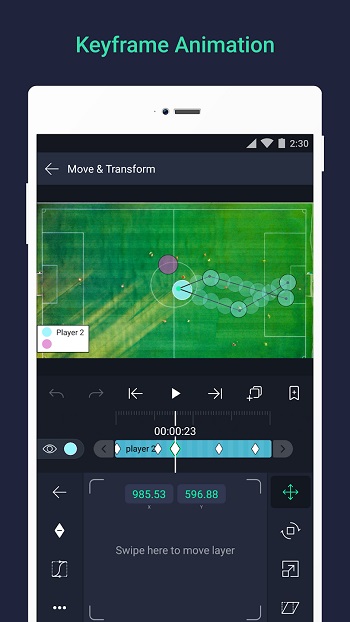
Its main job is turning simple clips, images, text, and audio into animated content. You can build scenes with multiple layers, set keyframes for movement, adjust opacity, scale, rotation, and add visual effects without needing desktop software. That makes it useful for short-form videos, lyric edits, animated posts, fan edits, logo motion, and quick promo content.
One of its biggest strengths is timeline-based editing with keyframes. That sounds technical, but the idea is simple: you decide what changes, when it changes, and how smooth the movement feels. Alight Motion also supports vector and bitmap elements, which helps when you want sharper graphics, cleaner text, and more flexible design work on a small screen.
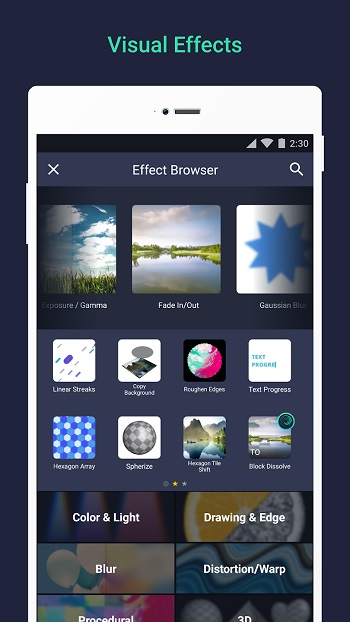
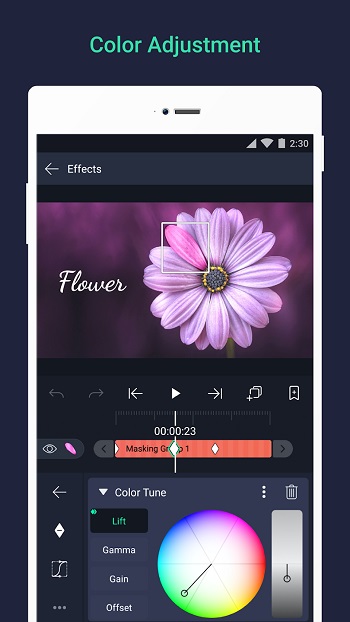
The app also gives users a solid set of creative tools. You can stack layers, apply masks, add blur, color changes, shadows, strokes, and combine effects for more detailed edits. Camera controls such as pan, zoom, and depth-style effects can make a flat scene feel more dynamic. For mobile creators, that matters a lot because a plain edit can start looking surprisingly polished after a few careful tweaks.
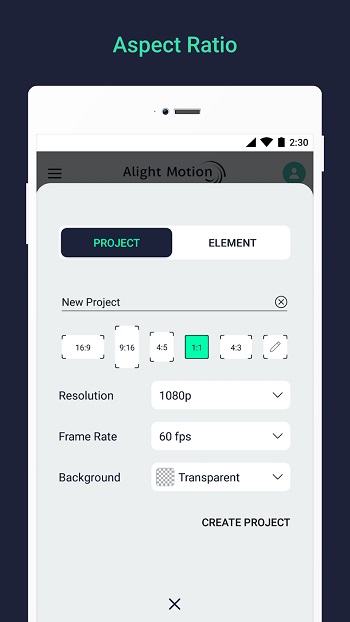
There are practical benefits too. Projects can be exported as video, GIFs, PNG sequences, or still images, so the app fits different content needs. Custom fonts, reusable saved elements, and layer copying also save time when you make content often. If you post regularly, that kind of shortcut feels less like a luxury and more like survival.
Still, Alight Motion Pro has a few limits users should know. It needs a fairly capable device, and lighter phones may struggle with heavy projects, large effects, or many layers. The app can also feel crowded at first, especially for beginners who have only used simple cut-and-trim editors. The free version includes a watermark, so people who want cleaner exports usually look at the paid plan.
This app suits content creators, editors, students, social media users, and anyone who likes building animated visuals on mobile. It is most useful when you need detailed control without opening a laptop, or when a basic editor feels too limited. For quick memes, it may feel like overkill. For motion edits and layered visuals, it makes a lot more sense.
FAQs Alight Motion Pro
What is Alight Motion Pro APK used for?
+
Alight Motion Pro APK is used for mobile video editing, motion graphics, text animation, visual effects, and layered content creation on Android devices.
Does Alight Motion Pro APK work well for beginners?
+
Yes, beginners can use it for simple edits, but the interface and keyframe tools may take time to learn if you have only used basic video editors before.
What features make Alight Motion Pro APK popular?
+
Its most popular features include keyframe animation, multiple layers, masking, blending effects, custom fonts, camera movement, and exports for video, GIF, and PNG sequences.
Does Alight Motion Pro APK remove the watermark?
+
The Pro version is generally chosen by users who want exports without the watermark and access to more tools, effects, and premium editing features.
What kind of phone is best for Alight Motion Pro APK?
+
A phone with decent RAM and solid performance is best, especially if you plan to edit large projects, stack many layers, or use heavy visual effects.
Discover More Interesting Apps
-
 Mod
Wink
v3.19.5
237.84 Mb
Updated -
Mod
Web Video Cast
v6.1.0
87.75 Mb
Updated -
Vlog Editing
v7.17.0
119.67 Mb
Updated -
Geesports
vUnknow
12246398
Updated -
Mod
PowerDirector
v16.7.5
249.92 Mb
Updated -
Tiktok Sin Marca de Agua
v2.10.0
69.01 Mb
Updated -
Mod
KineMaster
v8.2.16.37462.GP
176.61 Mb
Updated -
BenBen TV
v1.0.0
41 MB
Updated -
Mod
AI Catch
v1.7.2
88.97 Mb
Updated -
Mod
PrettyUp
v7.9.1
242.16 Mb
Updated










Share Your Thoughts